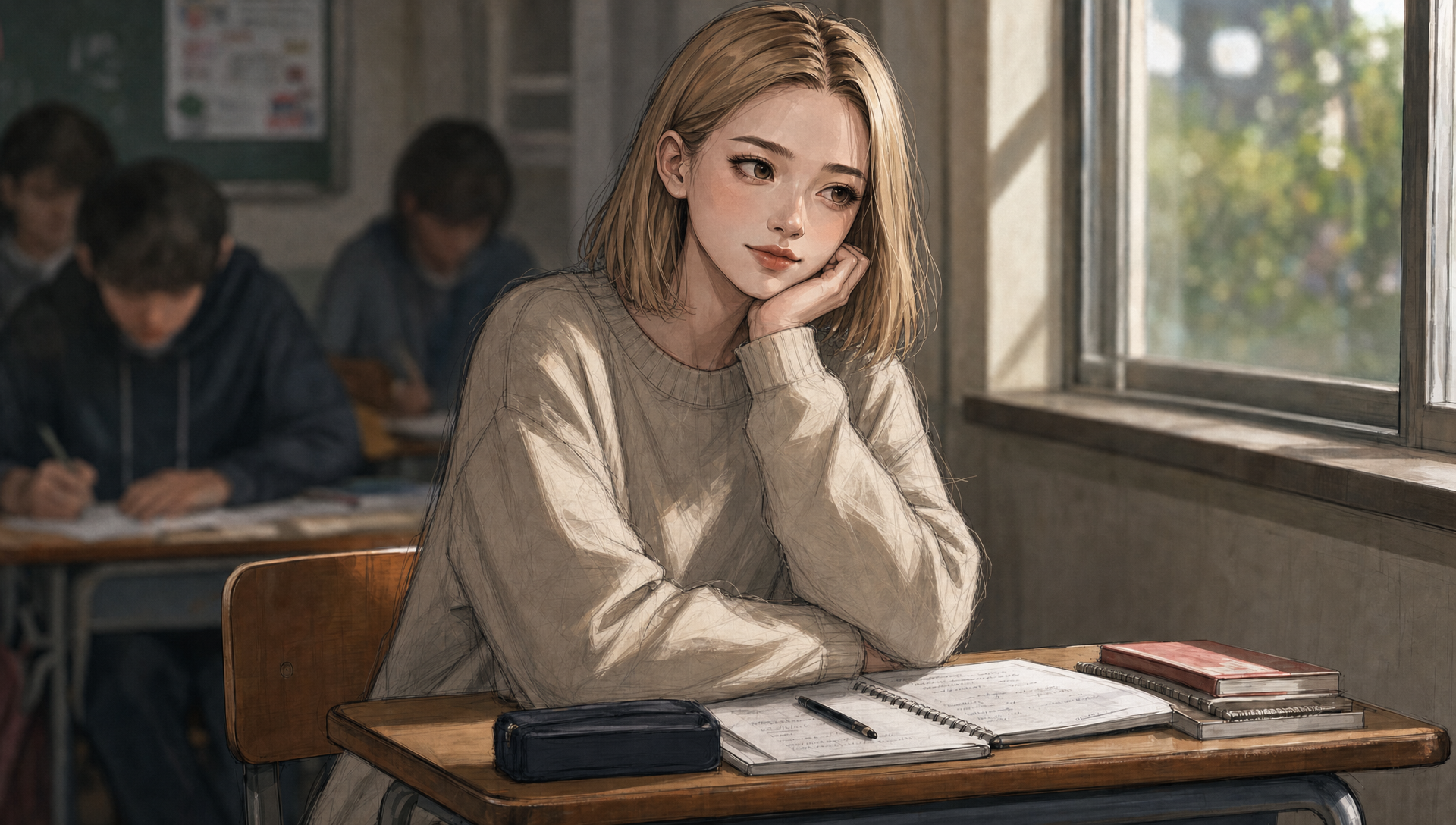
"Lily and the Old Man" is a short film we created over a year ago. We love the protagonist and her little story; however, the film’s visual appearance has aged significantly, especially given the recent advancements in AI tools. Consequently, we decided to remake the film, giving it a new breath and the chance to reach a fresh audience.
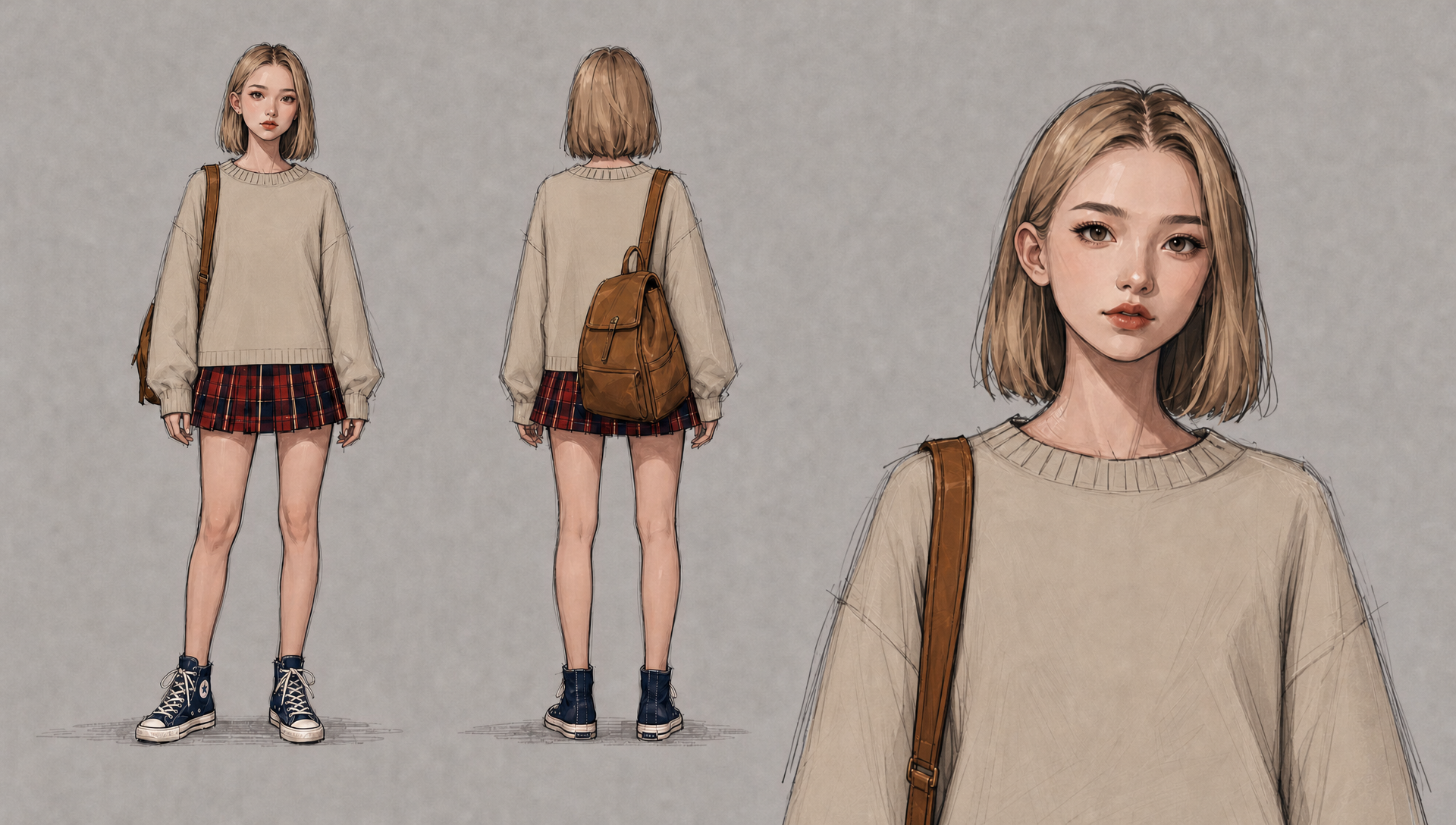
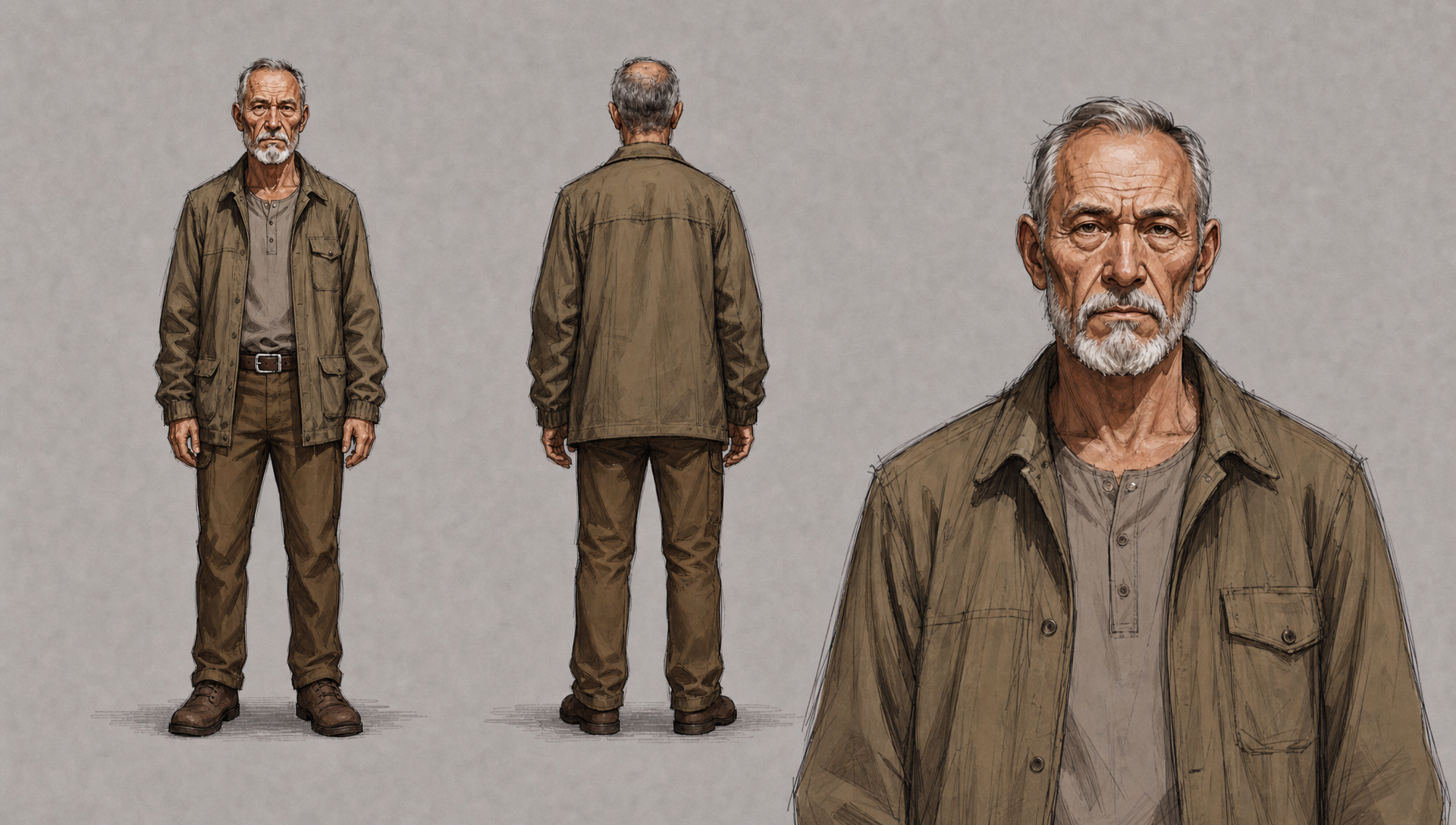
Step 1 - Character Sheet: I always begin a project with character sheets (See "Lily.png" and "Old Man.png"). The characters must inspire me and reflect the role I intend for them to play. In this case, Lily is a generous girl who cares about others. I used her original appearance as a reference and generated a new version that stays true to the original design. The same process was applied to the Old Man. Here I used GPT Image 2 to generate all the images.
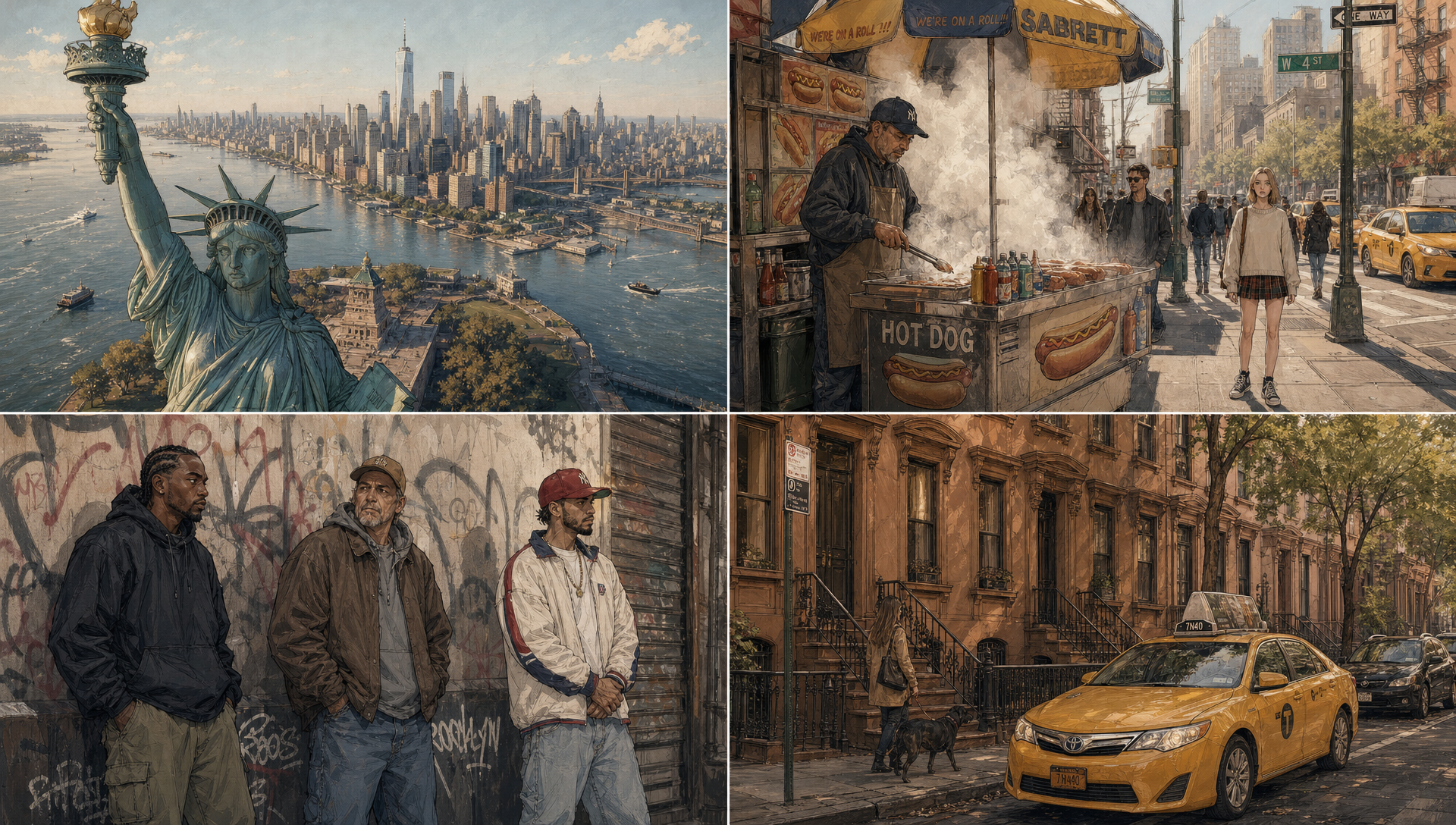
Step 2 - Defining the Style: Next, I asked GPT Image to generate the first four images for the film (see "Style reference.png") by using keywords that align with my vision, such as "comic style," "digital painting," and "visible drawing lines." Once satisfied with a result, I uploaded that image to serve as a reference for the entire storyboard. My prompt included instructions like: "Place my character in the subway, in the park, in a classroom... all in the same style as 'Style reference.png'."
Step 3 - Storyboard: I then generated the storyboard, capturing the key frames and pivotal moments of the film, which would later serve as a reference for generating the video sequences. When creating a storyboard, ensure that the images themselves already convey a narrative.
Step 4 - Generating the Videos:
Once the storyboard was finalized, we used each image as a reference for the video generation. It is essential to test several video models to evaluate the output, particularly when working with images that feature a distinct artistic style. Use a resolution of 360p or 720p for a 5-second clip to see what the model produces; this helps you avoid any unpleasant surprises. Once you have found the right video model, generate your videos based on the images from your storyboard. Here I used Seedance.
Step 5 - Video editing: Bring all your video clips together in a video editor. Add music and titles.
I hope this has inspired you!